The dashboard
The dashboard sits at the top of Projects: what you need to create a project or a document, and what awaits you in the coming days.
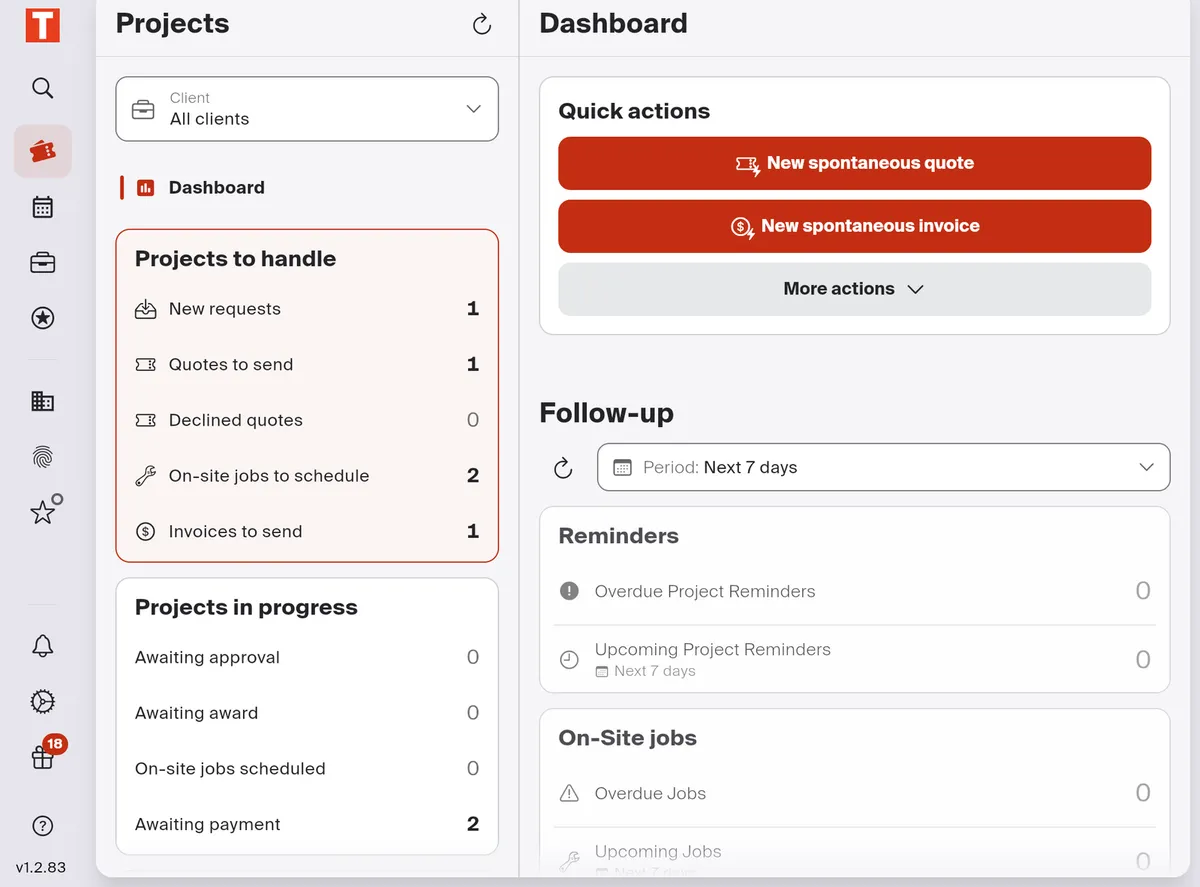
- Quick actions: a spontaneous quote or invoice. More actions offers sending a document and, with the PLUS plan, a quote request and a work order.
- The follow-up period, seven days by default: it sets what counts as “upcoming”.
- Reminders: your project reminders, overdue and upcoming.
- On-Site jobs: those overdue and upcoming.
On the left, the statuses of your projects: see The Projects screen.
Good to know
Section titled “Good to know”- No On-Site jobs card? The On-site jobs & calendar module is turned off.