A project's screen
Every project opens on the same screen.
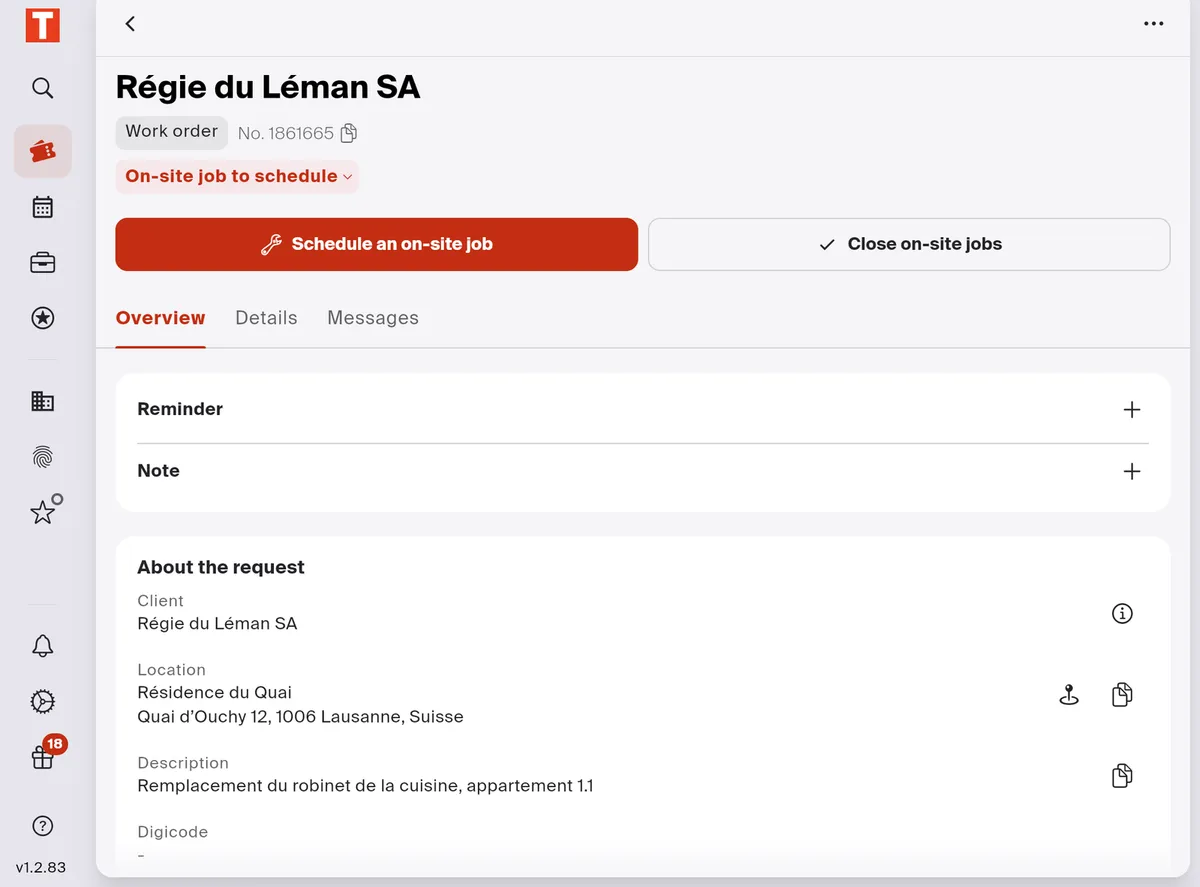
- Back to the list.
- The project at a glance: its client, its type, its number and its status. A click on the number copies it; a click on the status opens Force the status.
- The actions. The buttons change with the status: here Schedule an on-site job and Close on-site jobs. The rest is under ⋯.
- Overview: the request itself, with the client, the site, the description, the digicode and the contacts, plus your reminder and your note.
- Details: the quotes, the invoices and, depending on your modules, the on-site jobs and the Project Drive.
- Messages: the project’s messaging, to talk with your client and the contact people, such as the tenant or the caretaker.