The Projects screen
Projects sorts your projects by status: each status opens its list.
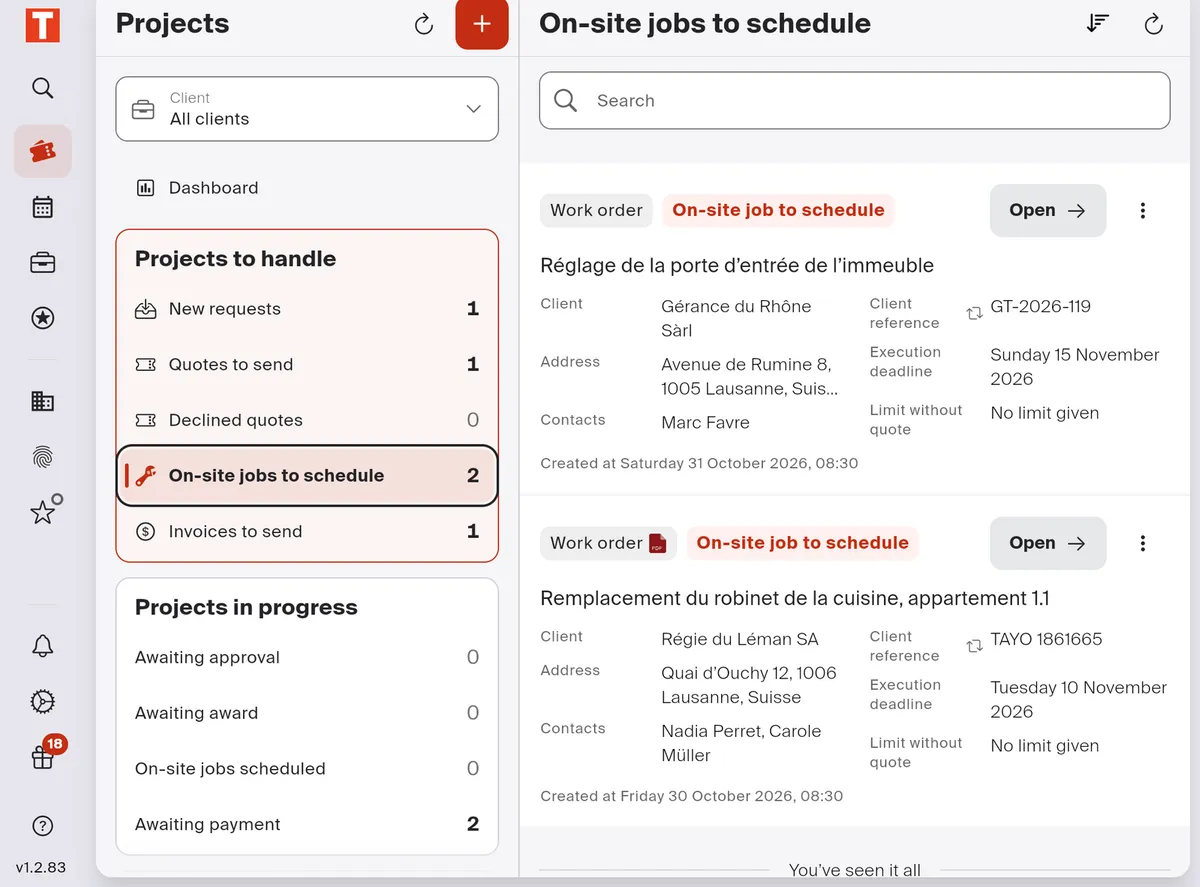
- Client: keep only one client’s projects.
- Dashboard: the quick actions and the follow-up.
- Projects to handle: those waiting for you to act.
- Projects in progress: those moving forward with nothing for you to do for now.
- The list of the chosen status, with its search and its sorting; Open opens the project.
- +: create a project.
Good to know
Section titled “Good to know”- Projects that are done, canceled or whose request was declined are under Archived projects, at the bottom of the column.
- What each status means: Project statuses.