Your notifications
Under Settings → Notifications, you choose what you want to be told about.
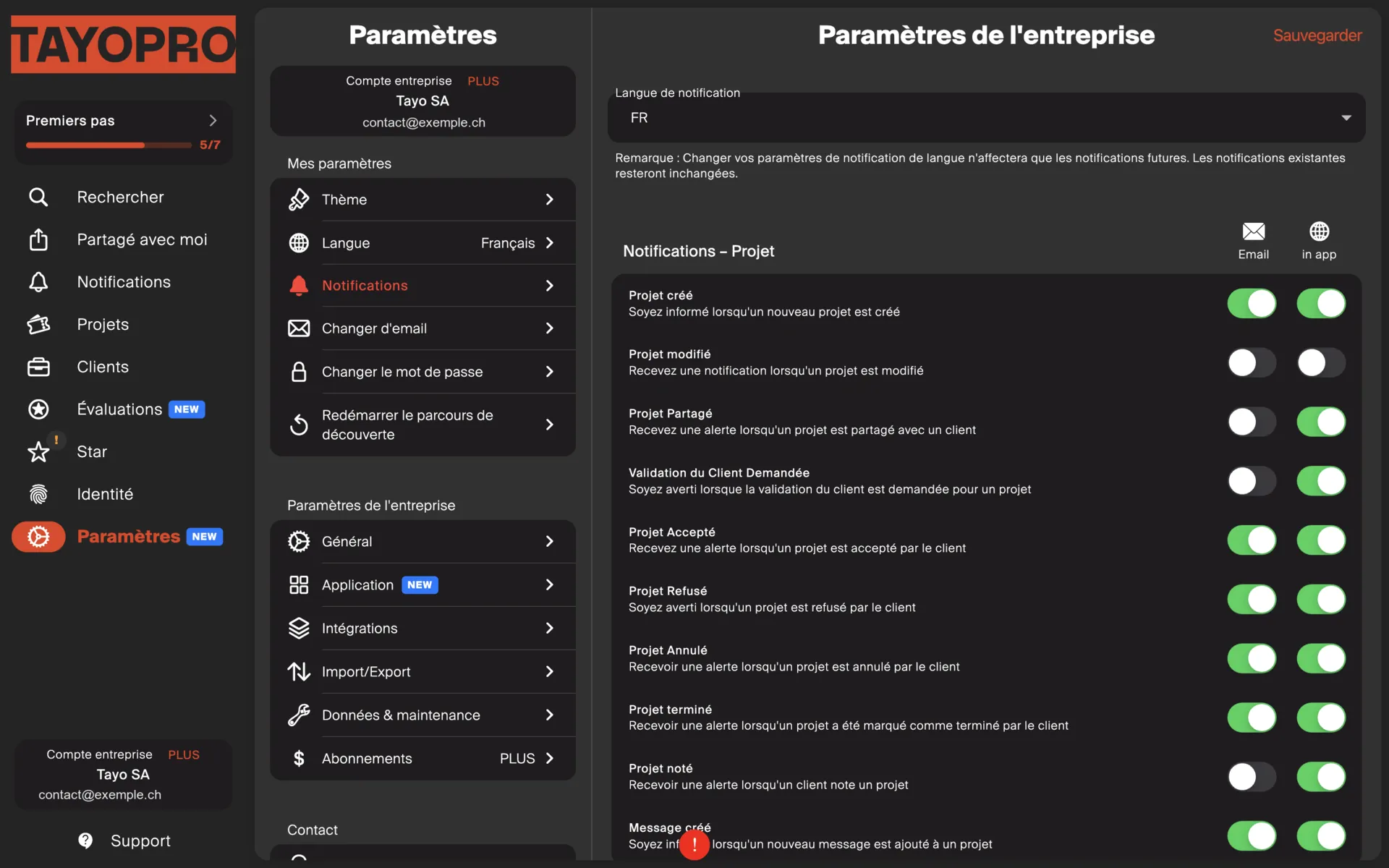
The real risk is getting too many
Section titled “The real risk is getting too many”It is not missing one, it is having so many that you stop reading them. At that point you miss the one that mattered.
Keep above all what needs action from you:
- a new work request;
- a quote accepted or rejected;
- a project reminder falling due.
You can switch the rest off. The information stays visible in the app, so you lose nothing — you just decide when to look at it.
Settings with no effect
Section titled “Settings with no effect”The list shows all preferences, including those depending on a module you have not switched on.
In other words, you can tick invoice reminder notifications and see nothing happen, simply because the module is off in your company settings.
If a notification you expect never arrives, check first that the matching module is on.
Duplicates with Tayo
Section titled “Duplicates with Tayo”At the start you may receive messages from both Tayo and TAYO.pro. That is normal: Tayo notifications stay on to give you time to settle in. You can switch them off on the Tayo side when you are ready.